Working with aiERP Companion
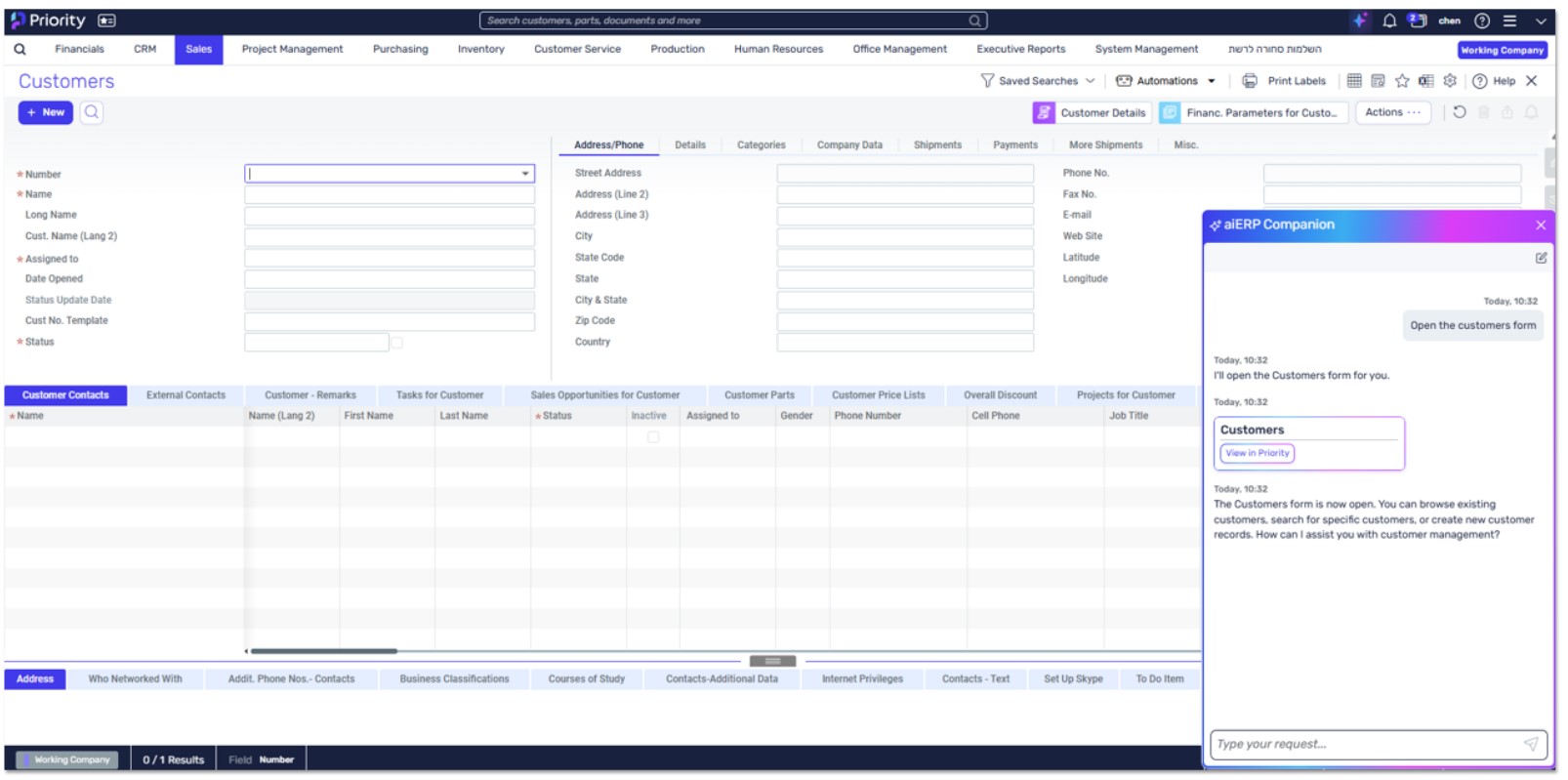
- Meet your new way of working with Priority: aiERP Companion brings natural
conversation directly into your ERP system. Instead of navigating through multiple
forms and menus, simply tell aiERP Companion what you need in your own words,
and watch it happen.
- aiERP Companion transforms how you interact with Priority. Creating a customer?
Generating an order? Running a report? Just ask. aiERP Companion understands
your requests, completes the tasks, and hands you direct links to your results. It also
lets you run agents that complete entire business processes. It’s Priority working at
the speed of conversation.
- Available right on your homepage and within select Priority forms, aiERP
Companion knows where you are and what you’re working on. It picks up context
from your user permissions and current form automatically, so you can focus on
what you want to accomplish rather than how to get there.
What aiERP Companion Can Help You Accomplish
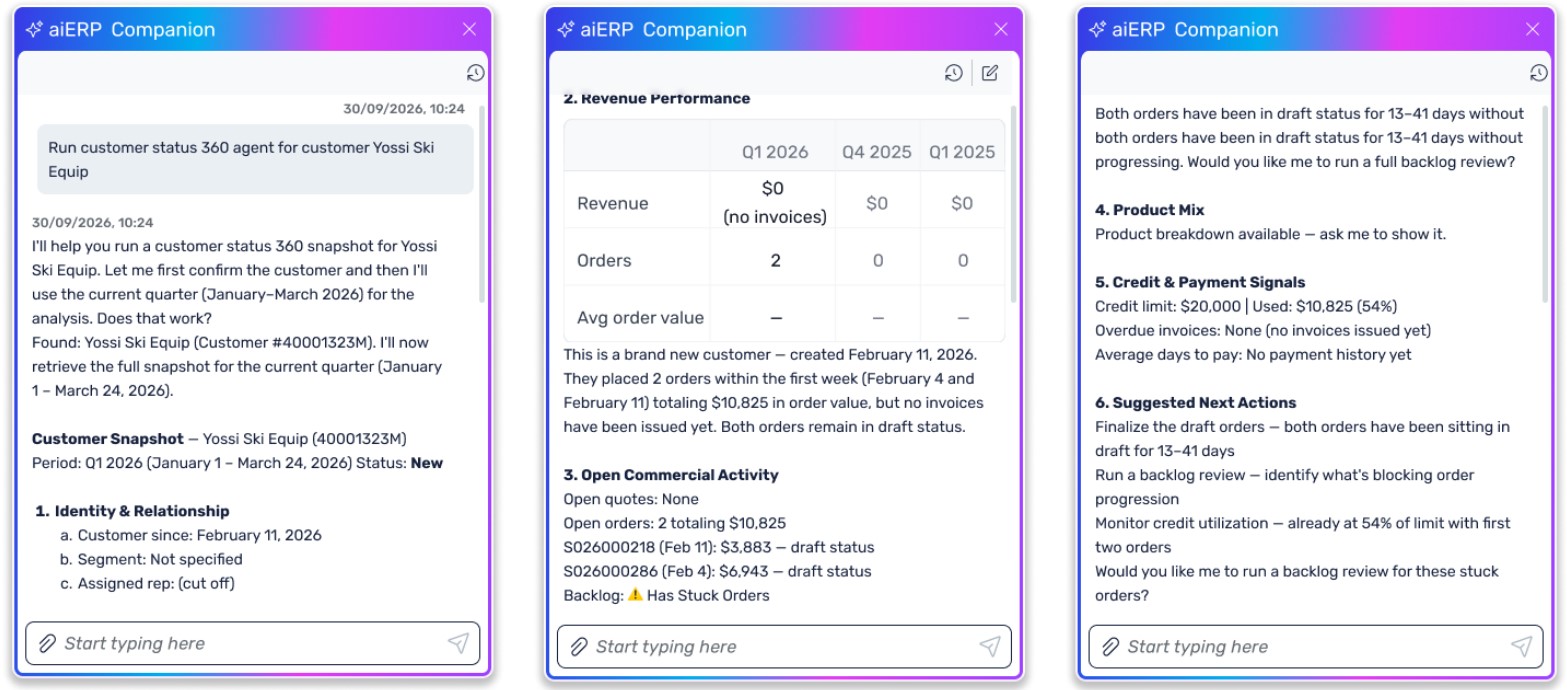
- Navigate the System
- Search and View Records
- “Find all customers in New York”
- “Show me open orders from last month”
- “Search for items with ‘laptop’ in the name”
- “Find invoices over $10,000”
- “Show me all vendors with outstanding balances”
Create and Edit Reports with AI
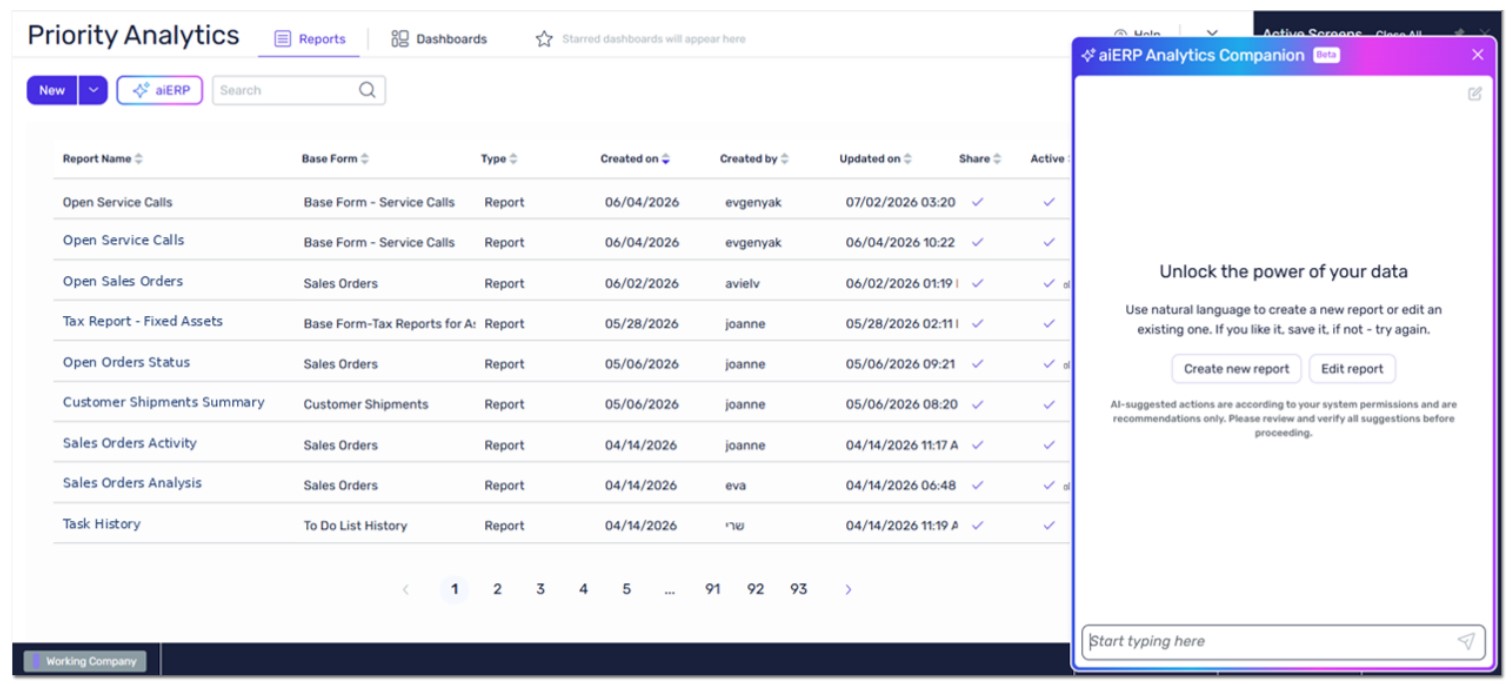
- Create a new report by describing the data you need - aiERP Analytics Companion selects the base form, adds fields, and configures the report tructure.
- Add or remove fields, define grouping, sorting, and functions.
- Build a chart on top of your report - choose a chart type and configure the axes.
- Edit an existing report that is already open.
- Rename fields, set input parameters, and mark a report as shared.
... and so much more. There are no limits to what could be acheived.